Streamline your image management, with profiles. Resize, crop
and manipulate images in bulk instantly, from a set of profile
options in your account. All images referencing a profile will
instantly update if you change the profile settings.
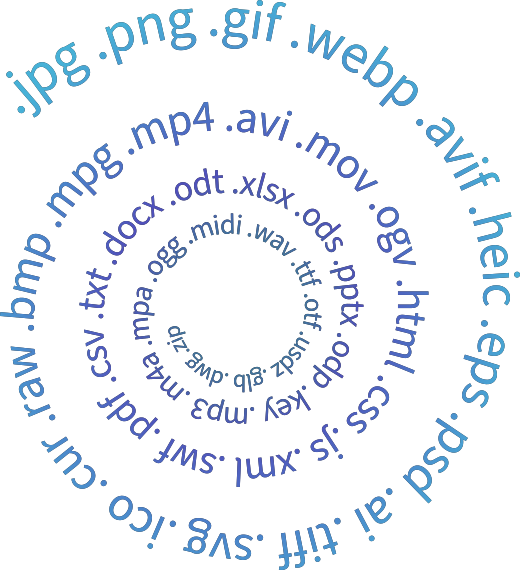
Sirv automatically optimises and serves the most popular image
formats: JPEG, PNG, GIF, WebP, PDF and PSD. It is
smart enough to detect the most optimal format, so that you can
deliver images in the perfect format, size and quality every
time, to every user, without lifting a finger.
Any type of website can use Sirv. Apps for some popular platforms
make it even faster to integrate.

Plugins and extensions
Sirv provides plugins for popular platforms including
WordPress, WooCommerce, Magento, PrestaShop and
others. The automatic sync fetches your images, then
serves resized and optimized versions from Sirv’s CDN.
Instant optimization with zero fuss.
Never worry about losing your original images again. Sirv
generates new resized or cropped versions, leaving the original
image untouched. All images are safely stored on our global CDN.
Create as many variations as you like, there’s no extra charge
for them.
Responsive images have never been easier

Sirv automatically resizes and optimizes images depending on
your users’ devices. Lazy loading means they only load when
needed. Improve user experience, save bandwidth and increase
your website’s speed – effortlessly.
Resize a single image online to any dimension simply appending
width (w) or height (h) parameters to the URL. Apply sizes
either in px or %. Sirv immediately creates new images within
150 ms.

Generate thumbnails
Sirv can quickly create square thumbnail images with the
‘thumbnail‘ option.It will perfectly resize and crop images
around their center. Ideal for quickly generating identically
sized square images from any original size.

Canvas
Adjust not only the image but its canvas too. Use it to apply
uniform dimensions to images of different aspect ratio. Or use
it to make images look like a framed painting.

Crop
Crop any part of an image online by setting crop dimensions
and/or coordinates. Or use the auto-crop feature to perfectly
crop a product image to its edges. Like all Sirv image
processing, easily apply your options in the image URL or in a
profile.
What our customers are saying

Sirv is fantastic! I have a lot of images on my website,
which resulted in slow site speeds, even with a CDN. I
love Sirv because they offer a CDN service but also
dynamically resize and optimize images based on the user’s
browser/device. It has meant HUGE speed improvements on my
website. In addition, the WordPress plugin works a treat
and the support team is fast. Highly recommended!
Bas EllenMindset
We got a huge speed boost in loading time on GTmetrix,
Pingdom FPT, Google Pagespeed Insights and Webpagetest
when we enabled Sirv on our WooCommerce site. It resizes
our big images and solved our theme issue of one image
size everywhere. I strongly recommend this plugin to every
body who desires to have fast loading images. I will be
implementing this plugin in all of my sites.
Himanshu JainWeblin Solutions
We use Sirv for many of our clients when designing their
new sites/apps. The dynamic image resizing, optimisation
and zoom benefit different types of business for different
reasons. We particularly use it for e-commerce sites, so
zoom into images. Also a large property website that
requires hi-res optimised images.
Mark DwyerIF6WAS9 Design
Sirv rapidly serves images in the
best format and size
Sirv Image Optimization
Sirv automatically optimizes your images keeping the perfect
balance between a brilliant image quality and a smaller
file-size to increase page load speed.
You don’t need to create multiple variations of a
single image to make it look decent on every device. Sirv
automatically scales and crops images to fit in your
visitors’ web and app screen.
The Image Resize API is a service that allows you to dynamically
resize, crop, and optimize images through a simple URL-based API.
It’s designed to deliver responsive images quickly and
efficiently.
How do I use the Image Resize API?
To use the Image Resize API, you need to construct a URL that
includes your desired image transformations. The API supports
various parameters for resizing, cropping, and optimizing images,
which can be easily integrated into your website or application.
What image formats are supported?
The Image Resize API supports a wide range of image formats,
including JPEG, PNG, GIF, and WebP. This ensures compatibility
with various browsers and devices.
Can I optimize images for faster loading times?
Yes, the Image Resize API includes optimization features that
reduce the file size of images without compromising quality. This
helps improve loading times and overall website performance.
Is there a limit to the number of images I can resize?
No, there no limits on URL API transformation usage. There are
limits to the storage and traffic of your media files, please
refer to the pricing page for detailed
information.
How secure is the Image Resize API?
The Image Resize API is designed with security in mind. All image
processing is done over HTTPS to ensure data security and privacy.
Additionally, access to the API can be restricted using
authentication tokens.